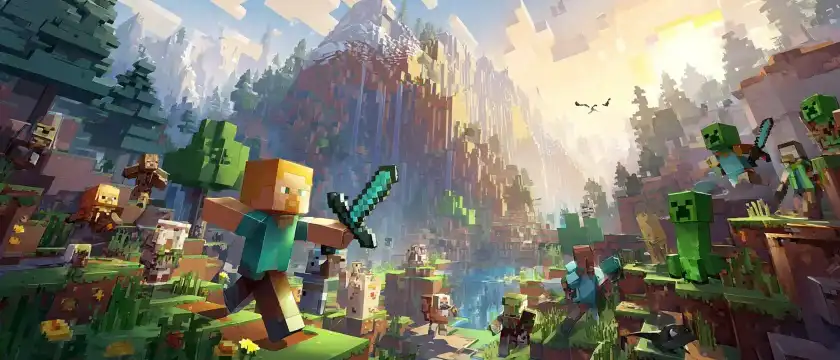
How Minecraft began
Markus Persson, better known as Notch, unveiled the first version of Minecraft in 2009. In its early days, the project was called Cave Game: even then, players could explore their surroundings and interact with blocks. The game was still a long way from the dimensions, mobs, and items familiar to players today.
The game was developed in the open: early versions were shared with players, then updated and expanded. Minecraft officially launched in 2011. That wasn’t the end of development: new biomes, creatures, blocks, and ways to build arrived after the release. So it’s worth checking advice from an old video against your version of the game, especially when it comes to world generation or mob mechanics.
In 2014, Microsoft acquired Mojang and the rights to Minecraft. Today, the game’s main editions include Java Edition and Bedrock Edition. They’re similar in many ways, but not identical: some mechanics, mod availability, and multiplayer features differ.
For example, before building a complex automated farm, make sure the instructions are for your edition. Otherwise, the mechanism may look right but not work the way the creator shows. This is especially important for contraptions using pistons, observers, and redstone.
Blocks and mechanisms: what builders should know
Redstone isn’t just red dust for decoration. It carries signals between components, letting you build doors, traps, and farms. A signal gradually loses strength: a regular line of redstone dust carries it no farther than 15 blocks without a boost. A repeater extends the circuit, but also adds a delay—something to keep in mind if you need several pistons to activate in a particular order.
You don’t need to build a giant computer for your first experiment. Try connecting a button, redstone, and an iron door. This kind of entrance is useful at a base where you don’t want to open the door by accident with a regular click. Then add a repeater and see how it changes the timing. It’s easier to understand how the circuit works this way than by copying a complicated build from start to finish.
An observer detects changes to the block in front of its observing side and sends out a short signal. You could use one in a sugar cane farm: the plant grows, the observer detects the change, a piston moves, and the top of the plant breaks off. Check the block’s direction as you build: if it’s facing the wrong way, the mechanism won’t detect the growth.
Blocks have some less obvious properties, too. Sand and gravel fall if there’s nothing supporting them, while most building blocks stay in place. That’s useful for traps and construction, but dangerous when mining: remove a block beneath a sandy ceiling and you could get buried in a cave-in. Before mining in a desert cave, take a look at what’s above you.
Another useful item for exploring is the shulker box. Unlike a regular chest, it keeps its contents when you break it. It’s handy for packing tools and materials before a big building project. But first, you’ll need to travel to the End and collect shulker shells.
Minecraft mobs: familiar and not-so-familiar
The creeper was born from a mistake. While working on a pig model, its proportions didn’t turn out as expected: instead of a wide animal, the result was a tall, narrow figure. That unusual shape became the basis for a new creature. Now its hiss can make even an experienced builder beat a hasty retreat—even if they’ve just finished decorating their house.
If a creeper gets too close, a shield can help protect you from the explosion: make sure it’s raised and that you’re facing the threat. You can also use cats to protect your territory: creepers try to keep their distance from them. A cat won’t replace lighting or a fence, but it makes a useful neighbor by the entrance.
There’s another detail involving music discs. If a skeleton kills a creeper with an arrow, the creeper may drop a disc. It’s tricky in practice: you need to position yourself so the skeleton hits the creeper, while also making sure the creeper doesn’t explode nearby. It’s best to experiment well away from your favorite builds.
Endermen usually won’t attack unless provoked, but looking directly at their faces can set them off. Wearing a carved pumpkin lets you look at endermen without triggering this reaction. It does limit your view, though, so be extra careful during a fight or when exploring the edge of a platform.
The Warden senses vibrations and smells, among other things. Sneaking past it is safer than running, but it doesn’t make you invisible. Wool can block some vibrations, which is why it’s used when exploring ancient cities. If the Warden has already appeared, it’s usually wiser to back away than to test your armor in close combat.
Minecraft’s creatures are easy to recognize by their distinctive habits, though the game’s logic doesn’t always match the behavior of real animals. If you’d like a break from blocky wildlife and want to learn about real animals, try our animal quiz.
Minecraft secrets worth trying
Disco sheep. Name a sheep jeb_ using a name tag, and its wool will cycle through different colors. It’s an Easter egg, not a way to get multicolored blocks: shearing the sheep gives you wool in its original color. First, rename the name tag on an anvil, then use it on the animal.
An upside-down world. Name a mob Dinnerbone or Grumm, and it’ll turn upside down. This doesn’t give the creature a new in-game ability, but it’s a great trick for an unusual farm or home zoo. Make sure to spell the name exactly right, including the capital letter.
A dangerous bed. Trying to use a bed in the Nether or the End will make it explode. So don’t take one there as your usual way to pass the night. To set a respawn point in the Nether, use a charged respawn anchor. Just don’t try to sleep in one in the Overworld either—it’ll explode there.
A shortcut through the Nether. One block of distance in the Nether corresponds to eight blocks in the Overworld horizontally. Players use this for faster travel: you can build a portal near your base and create a route to another portal. Note down the coordinates before you set off and make sure you have a safe path: lava, ghasts, and uneven terrain can easily undo all your time-saving.
Saving a villager. You can cure a zombie villager by giving it the Weakness effect and using a regular golden apple. The transformation takes a little while, so protect the villager from sunlight and hostile mobs first. This can help you rebuild a village or get a new trader without transporting a villager from far away.
Honey without upsetting the bees. You can collect honey from a full bee nest or beehive with a bottle, and use shears to collect honeycomb. Bees may get angry if you do this without taking precautions. A lit campfire beneath the hive or nest, with smoke reaching it, lets you gather resources more peacefully. Make sure the campfire is positioned carefully so you don’t accidentally harm the bees.
These tricks are most fun to try in your own world: stock up on supplies, choose a safe spot, and save your base’s coordinates. And if you enjoy games with exploration and colorful characters, find out which Genshin Impact character you are.
Frequently asked questions
Which version of Minecraft came first?
The game began as a computer project that grew into Java Edition. Bedrock Edition is a separate family of editions available on different devices. Before buying the game or playing together, check that your chosen platforms and versions are compatible.
How do you find the End Portal?
Use an Eye of Ender: when thrown, it points toward a stronghold. Inside the stronghold, find the portal room and fill the empty frames with Eyes of Ender. Bring extras: some Eyes may break when thrown, and you may need several for the portal.
Why doesn’t my compass point to my bed?
A regular compass points to the world spawn, not your personal respawn point. If you’re traveling far from home, write down your base’s coordinates. You can also link a compass to a lodestone so it points to that instead.
Do all the secrets work the same way in Java and Bedrock?
Not always. Mechanics can change with updates, too, as well as differing between editions. If a farm or trick doesn’t work, check your game version and the date of the instructions, then test the setup in Creative mode.
Test your knowledge
Minecraft’s history is full of accidental discoveries, and its mechanics reward curiosity and experimentation. Take the quiz “How Well Do You Know Minecraft?” to see which facts you already know and what you might want to check out on your next adventure.
Want even more questions? Choose a quiz about movies, games, or soccer: